| .github/workflows | ||
| public | ||
| scripts | ||
| .gitignore | ||
| Dockerfile | ||
| env.example | ||
| package-lock.json | ||
| package.json | ||
| README.md | ||
| server.js | ||
| test.js | ||


ntfy emergency app - Message Webapp
This is a simple web application that allows users to send emergency messages to a ntfy server.
tldr: I look at messaging apps very infrequently and have no notifications for them. But what happens if there's a real emergency and someone needs to grab my attention? The only app in my phone that has notifications is the ntfy client, which I use to monitor servers and services. Why not receive a ntfy alert? This small webapp lets my trusted ones send me a high priority message if needed.
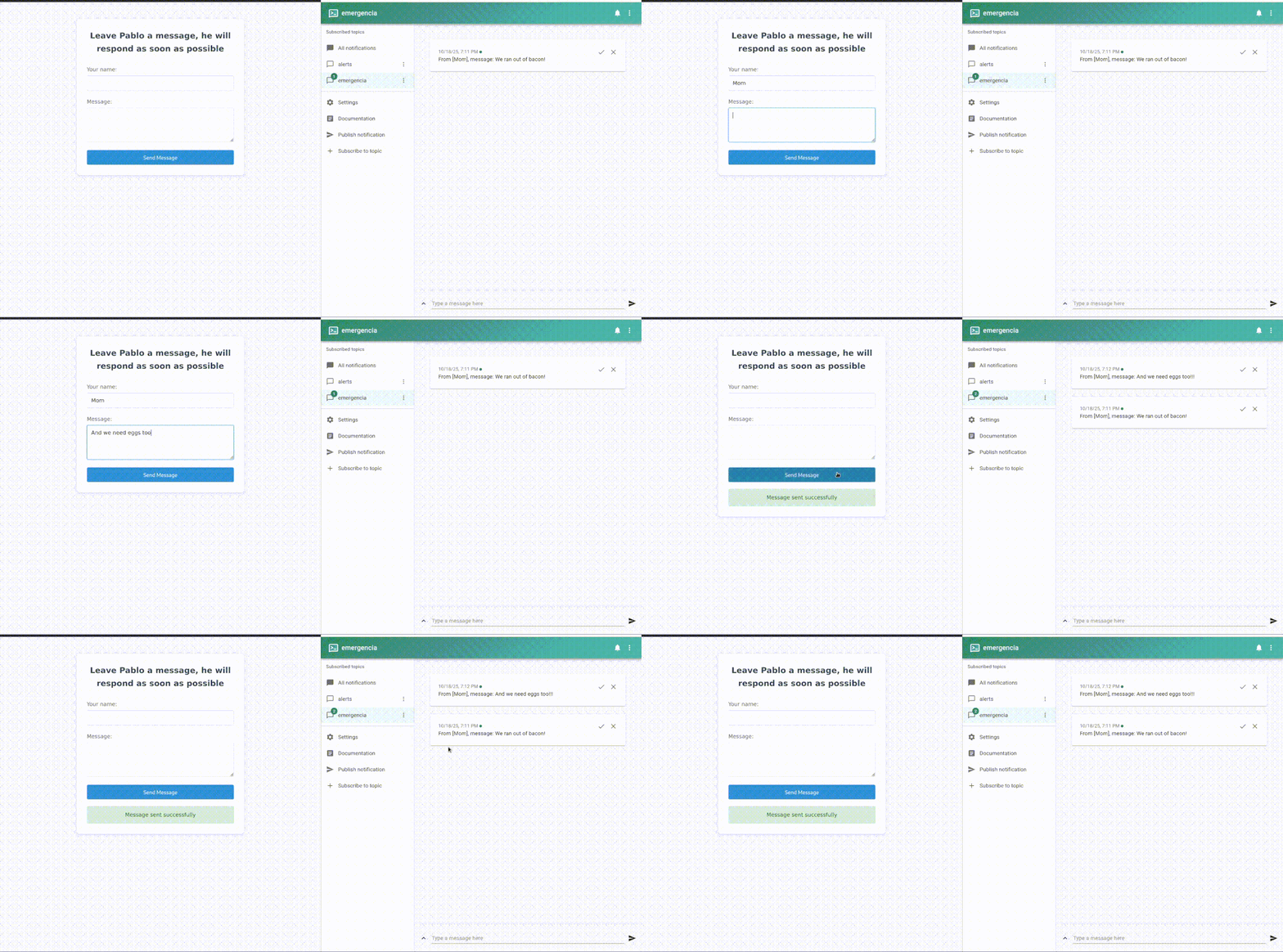
More details:
- You can deploy in a single
docker run, simply passing the ntfy details through env vars. - You can use it with both the official ntfy instance or with a selfhosted instance of your own.
- Deals with ntfy username/password auth if needed.
- No auth or spam protection: either roll your own, or simply pray nobody spams you.
Dev setup
- Install dependencies:
npm install
- Configure environment variables:
cp env.example .env
# Edit .env with your values
- Run the application:
npm start
Environment Variables in detail
NTFY_TOPIC: ntfy topic/channel to send messages to (required)NTFY_URL: URL of your ntfy server (optional, defaults to https://ntfy.sh)NTFY_USER: Username for ntfy authentication (optional, only needed for auth protected topics)NTFY_PASSWORD: Password for ntfy authentication (optional, only needed for auth protected topics)PORT: Port to run the application on (optional, defaults to 3000)UI_MESSAGE: Custom message to display in the UI (optional, defaults to "Emergency Message")
Docker Registry Variables (Optional, needed to push to private registry)
Note that we assume that you docker cli is authenticated for the registry you want to use.
DOCKER_REGISTRY: Custom registry to publish the image to (optional)DOCKER_USERNAME: Username/organization in the registry (optional)DOCKER_TAG: Tag for the Docker image (optional, defaults to "latest")
Deployment
Option 1: Docker Run
Run with Docker, passing environment variables directly:
docker run -d \
  --name ntfy-emergency-app \
  -p 3000:3000 \
  -e NTFY_TOPIC=emergencia \
  -e UI_MESSAGE="Send an emergency message" \
  ghcr.io/pmartincalvo/ntfy-emergency-app:latest
For private ntfy servers with authentication:
docker run -d \
  --name ntfy-emergency-app \
  -p 3000:3000 \
  -e NTFY_TOPIC=emergencia \
  -e NTFY_URL=https://your-ntfy-server.com \
  -e NTFY_USER=your-username \
  -e NTFY_PASSWORD=your-password \
  -e UI_MESSAGE="Send an emergency message" \
  ghcr.io/pmartincalvo/ntfy-emergency-app:latest
The application will be available at http://localhost:3000
Option 2: Direct Installation
- Upload files to the server
- Install Node.js (version 14 or higher)
- Create a
.envfile with your credentials:
NTFY_TOPIC=emergencia
UI_MESSAGE=Send an emergency message
# Optional: only needed for private ntfy servers
# NTFY_URL=https://your-ntfy-server.com
# NTFY_USER=your-username
# NTFY_PASSWORD=your-password
- Install dependencies:
npm install
- Start the application:
npm start
Docker Image Publishing
npm run docker:build-tag-push